Posts tagged “music”
#FridayFive: Favorite Christmas Songs
View the Friday Five from December 25th, 2009
iTunes Tuesday: Good New Songs
In which I detail how to create a smart playlist featuring new stuff you like
iTunes Tuesday: Simple Tutorials
If you’re just getting started with iTunes, the hands-down best place to learn how it all works is the Apple website. The “Find Out How” section offers dozens of video and text tutorials which will get you up and running quickly. You can learn how to import music from your CD collection, edit your music
iTunes Tuesday: iPhone Music Streaming
An app to stream your library
#FridayFive: Favorite Coldplay Songs
View the Friday Five from July 17th, 2009
iTunes Tuesday: Create Playlists Quickly
In the previous episode of iTunes Tuesday I explained the difference between Smart Playlists and user-created playlists. Basically the key difference is that Smart Playlists are ones that iTunes creates for you based on criteria you define and user-created playlists are ones you make by picking and choosing songs. Today I’ll show you a couple
iTunes Tuesday: Show in Playlist
In which I explain how to arrange songs in iTunes
iTunes Tuesday: New This Month
Sometimes you just want to be able to quickly get to the new stuff. That’s why I have a Smart Playlist called “New This Month”. This playlist contains all the tracks I’ve added in the last month, and I keep it synchronized with both my iPhone and with my iPod Nano. I always have all
iTunes Tuesday: Groupings
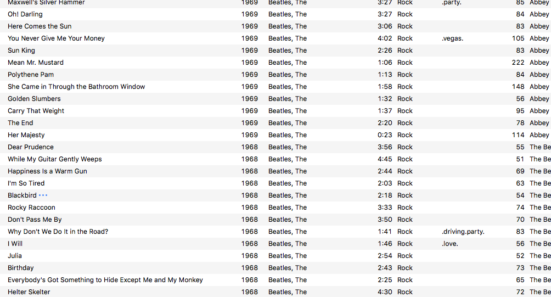
In which I explain how to easily tag tracks in iTunes
iTunes Tuesday: Display Song Lyrics
Did you know that you can store a song’s lyrics inside iTunes? Simply right-click on any song and choose Get Info. Then switch to the Lyrics tab and paste the lyrics there. Now when you play that track on your iPhone or iPod touch, the lyrics will be displayed right on the screen.