- On The (Apocryphal?) Rules of Road Runner and Wile E. Coyote Cartoons – via kottke, natch
- With the possible – possible – exception of Sonny Corleone‘s toll booth scene, I cannot think of anything in the universe that wouldn’t be dramatically improved by adding a college marching band.
- Netflix is developing a reality television series based on the classic board game Monopoly. Fingers crossed that the producers convey that the only realistic way to win the game is to hoard all the money and property, causing everyone else to eventually quit in despair and destitution, and that unfettered capitalism is actually terrible for any species. – via The Dailies
- Good news! AP wins reinstatement to White House events after judge rules government can’t bar its journalists
- A federal judge ruled former Florida QB signee Jaden Rashada can proceed with his lawsuit against Gators football coach Billy Napier over a $13M NIL deal gone wrong.
- There are actually a few cool items in this Wirecutter article: 18 Things You Didn’t Know Your iPhone Could Do
- Instagram users under 16 will no longer be able to livestream or unblur nudity in direct messages without parental approval. This seems like something that should have already been the policy, but I guess I’ll take the win. – via me
- Why don’t we remember being a baby? Infants can encode specific memories, a new Yale study shows, suggesting “infantile amnesia” might be a memory retrieval problem.
 When Is This Going to Stop?
- POTUS signs executive orders to… boost coal production.
- China slams Vance for ‘peasants’ slur as tariff war intensifies – via thebasement.nz
- WTF? Administration orders half of national forests open for logging – via moudhy.bsky.social
- 20 Rude Questions the Media Should Ask – via markjacob.bsky.social
- Inside ICE Air: Flight Attendants on Deportation Planes Say Disaster Looms
Posts tagged “iPhone”
- Dark energy is probably doing something weird, and we don’t know why.
- The Scale of Time
- New research suggests that being even slightly dehydrated can reduce muscle thickness after lifting weights—potentially limiting growth and recovery. – via Arnold’s Pump Club
- Prosecutors who resigned rather than carry out what they saw as an unethical, improper and potentially illegal order were 100% vindicated by [the judge]’s extensive findings.
- “Only one thing / I did wrong / Stayed in Mississippi / Way too long” – For some reason I had no idea that this was a “newer” (relatively speaking) Dylan song, or that it was released on 9/11. It feels much older than that. (It’s also weird that the Sheryl Crow cover was released in 1998!)
- On the Best (Worst) Best Man Speech Ever (at My Super Mario-Themed Wedding) – via kottke, of course
- How to optimize files and fix your storage problems on Macs, iPhones, and iPads
- We Can Do Better:
- Several members of [the President]’s National Security Council have been fired a day after conspiracy theorist Laura Loomer visited the Oval Office and pressed [the President] to get rid of them.
- The state of Florida is prepared to convict [a woman] for killing her son, despite the fact that the only direct evidence of arson has been thoroughly discredited. This story is as infuriating as it is heartbreaking.
- JD Vance Would Throw His Own Kids Under A Bus If [POTUS] Were Driving It
- How the [Current] Administration Learned to Obscure the Truth in Court
- Texas GOP Congressman Ronny Jackson has been fundraising with what appears to be an unauthorized legal expense fund.
- [Administration] Declares a Trade War on Uninhabited Islands, US Military, and Economic Logic
- Georgia Woman Arrested After Having Miscarriage
- The [current] administration is planning to halt more than half a billion dollars in contracts and grants awarded to Brown University.
- Elephants trumpet, squeak, and flap their ears after their complex move across an Australian city.
- Bridge Grades score Congress members on their ability to collaborate, build coalitions, deliver consensus solutions, and bridge America. – via @froggyb.bsky.social
- Men Actually Crave Romantic Relationships More Than Women Do: According to more than fifty studies of mixed-gender relationships, men tend to experience greater mental and physical health benefits from being in a relationship, are less likely to initiate breakups, and struggle more with the emotional toll of a breakup.
- Kudos to Anker customer support. The ring stand on my wife’s iPhone case snapped and when I contacted them via the Amazon product support page, they sent me a new one right away.
- “I resent having to have so much anger in my heart all the time. Because it’s not my default. I’m a happy person by default.” – via @anildash.com
- A recent survey revealed that 83% of Americans say the President is required to follow Supreme Court rulings. (It’s the other 17% that bother me.)
- This is just pathetic: The “DOGE” website created to document how the ‘team’ is eviscerating the US federal government is wide open for anyone to edit.
- What beats rock?
- Pope Francis denounced the current administration’s plan to carry out mass deportations of migrants in a letter to U.S. bishops Tuesday, while appearing to take a direct jab at Vice President JD Vance.
- For decades, casinos scoffed as mathematicians and physicists devised elaborate systems to take down the house. Then an unassuming Croatian’s winning strategy forever changed the game.
 Why is Hawaii the rainbow capital of the world?
- Is gold hidden under a California peak? This treasure map says so.
- These JETech iPhone screen protectors are a great investment.
- Forensics Experts Challenged the FBI. So the FBI Tried to Censor Their Conference. This story includes a timely reminder that — with the exception of DNA matches — most of the highly-regarded techniques used to put people away (fingerprint examinations, ballistics and toolmarks comparisons, blood pattern analysis) “were developed by law enforcement agencies for law enforcement, and not by scientists first subjecting them to standard, rigorous testing processes designed to ensure they stand on a solid scientific foundation.”
- How did a life-saving pediatric drug – discovered and developed using money from American taxpayers, and spurred by the grassroots fundraising of desperate parents – end up costing $2,000,000 per dose?
- In the span of just weeks, the U.S. government has experienced what may be the most consequential security breach in its history – not through a sophisticated cyberattack or an act of foreign espionage, but through official orders by a billionaire with a poorly-defined government role.
- Harrison Ford said the recent California wildfires burned several Shrinking sets.
- Stop Calling Them Firings. Business terms provide a totally wrong conceptual framework for the purges underway.
- Within 24 hours of the inauguration, Amazon and UnitedHealth asked regulators to help crush their shareholders’ demands for transparency.
 I knew one day I’d have to watch powerful men burn the world down. I just didn’t expect them to be such losers. – via Laura Olin
- When my iPhone is connected to my MacBook Air via USB-C cable, both iOS and MacOS should prioritize that connection over the WiFi connection and maintain the link until I actually remove the cable from one of the devices. I don’t understand why Finder would / could / should ever report that “the connection was lost” when the two devices are physically connected.
- The 24-Hour Reality Check: Musk’s Impossible Power Grab and America’s Crisis
- “Be calm when the unthinkable arrives,” is one of the very eloquent bits of advice in this essay On Tyranny. – via Jodi Ettenberg
- From the Department of Irony: You Can’t Post Your Way Out of Fascism “The internet has conditioned us to constantly seek new information, as if becoming a sponge of bad news will eventually yield the final piece of a puzzle.” – via kottke
- Profiles of Courage, Patriotism, and Resistance in standing up to Trump

Bongo la, bongo cha cha cha
In which I explain the lengths to which I’ll go to preserve the integrity of my 30+ years of mp3 metadata
- This LA Times interactive map of the Southern California wildfires has been very handy. – via @dansinker.com
- “Just a reminder that the French revolution started with a climate crisis-induced famine, an empire that had overexpanded into too many foreign wars, and parasitic nobility that funneled all the wealth upward while regular citizens suffered.” – via @chris.writes.books
 If you want to “follow” me somewhere (other than here, of course), you should use my verified account on bluesky. I adored Twitter when it launched, and for many years after. But I haven’t looked at that social network in months and deleted my account a while ago. I’ve been enjoying Threads, but it looks like it’s time to abandon that platform, too. I’m very, very glad I have my own personal website. (I hardly ever look at Instagram, and doubt I’ll keep my account there for much longer. If I didn’t feel obligated to remain on LinkedIn, I’d quit that site, too.)
- In China, there are registries of haunted apartments. If you’re willing to live somewhere with a sinister history, you can get a discount of 30%. – via @tomwhitwell
- I am starting to get concerned about the bird flu, H5N1. Paying attention to updates from Your Local Epidemiologist is a good way to be prepared.
- A wilderness survival trainer spent years undercover, climbing the ranks of right-wing militias. He didn’t tell police or the FBI. He didn’t tell his family or friends. Then, in 2023, a ProPublica reporter received an envelope with no return address. Inside was a flash drive containing tens of thousands of secret files. – via @propublica
- “In species where males invest in weaponry (antlers, horns, tusks, etc.), female brains are bigger.” – via Kent Hendricks
- Star Wars: Skeleton Crew premieres December 3rd on Disney+ Wow. The trailer looks amazing.
- If you know anyone with an iPhone — and, duh, of course you do — one of these MagSafe power bricks is a great gift idea.
- Superman Is Still America’s Greatest Superhero: We need Christopher Reeve now more than ever.
- How Selling $160 Sweatpants Turned a SoCal Surfer into One of America’s Richest Women – via @forbes
- Forget Matt Gaetz. Merrick Garland Is America’s Worst Attorney General. – via @usnews
- I would rather watch three straight hours of Progressive commercials than another Avatar movie.
- Pamela Hayden, the voice behind Milhouse Van Houten, will retire from The Simpsons after 35 years. – via @dailycosmicmarvel
- It’s always been somewhat puzzling that Donald Duck chooses to use an airplane to fly and a boat when he’s in the water. I don’t have a problem with his insistence on eschewing pants. But I find it deeply, deeply disturbing that he carves a Thanksgiving turkey for his family. – via me
- Here’s everything you need to know about the new 12-team college football playoff format.
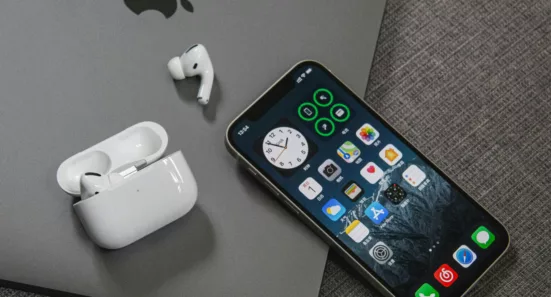
I miss being able to drag and drop to organize my iOS screen layout(s) on my laptop. I also wish Sonoma (14.2.1) would do a better job recognizing when my iPhone (17.2.1) is on the same WiFi network as my machine. I have lost count of the number of times a synchronization has failed because my iPhone “can’t be found” even when it’s sitting six inches from my MacBook Air and they are both definitely on the same network. And it’s enough to make me scream when this happens even when it’s literally connected to my laptop with a USB-C cable.
The team at iconfactory has been producing quality apps for a quarter of a century. (I first found them when I started playing the iPhone game Frenzic.) They have some really useful tools for developers as well as a few games and handy utilities for everyone else.